
AED inspections
AED Inspection Software With Built-In Monthly Checklists
AED Log is AED inspection software that puts every AED on a monthly schedule, walks the inspector through a built-in checklist on any phone and flags anything that fails. Every inspection is saved with who did it and when, ready for an audit.
45 days free. No credit card required. Then plans from $114 a year.
How AED inspection tracking works
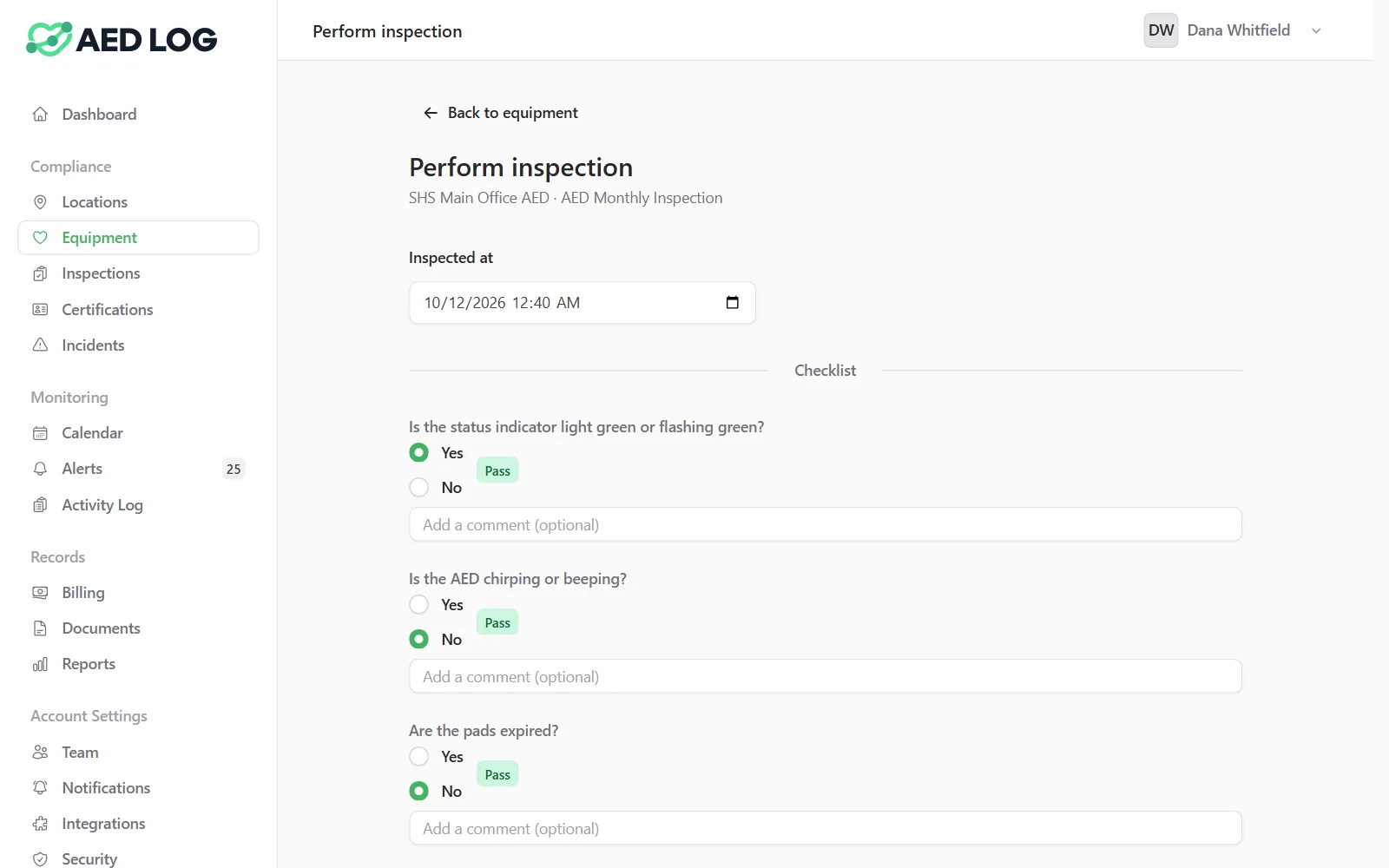
Every AED gets an inspection schedule the day it is added. When an inspection is due, the inspector opens the checklist on a phone or computer and answers each question, and AED Log records the result and sets the next due date.
Every AED gets a schedule
Add an AED and its inspection schedule is created automatically. The next due date counts from the latest inspection, and the Due tab lists everything overdue or due soon, with the person each unit is assigned to. Other equipment is scheduled the same way, and vehicles can be scheduled by mileage as well as by date.
Inspectors answer a built-in checklist
The default AED checklist covers the status light, chirping or beeping, the pads, the battery, damage, debris and moisture, and the cabinet alarm. Each answer shows pass or fail as it is given, so the inspector sees the result before saving.
A failed answer opens a corrective action
If an answer fails, AED Log opens a corrective action, marks the AED not safe to use and alerts the responsible people. The flag clears when the corrective action is resolved or a passing inspection is recorded.
Every inspection becomes a permanent record
Inspections can't be edited after the fact. Each one downloads as a PDF listing the inspector, the time, the unit's serial number, brand and model, and every question and answer. If the AED has an AED Sentinel monitor, the inspection is sent to Sentinel's ReadiCheck automatically.


What each inspection records
Each inspection keeps the answers, the evidence and the context an auditor asks for, in one record that can't be changed afterwards.

An answer and an optional comment for every checklist question
Photos or PDF evidence, stored privately with the record
Overall notes and corrective-action notes
Who inspected and when, with Inspected at for entering a paper record later
The unit's serial number, brand, model and location at the time
A voided status and the reason, if a record was entered in error
The checklist is yours to change: edit a question's wording or passing answer, add, remove or reorder questions, or reset to the default. Past inspections keep the exact questions they were answered against.
Who it is for: schools and workplaces
AED inspection tracking is built for organizations where several people check AEDs across more than one building, such as school districts and workplaces with safety teams.


Related guide: the AED monthly inspection checklist
For what to look at during a monthly AED check and why each step matters, read the AED inspection checklist guide. For a paper backup, print the AED inspection log sheet.
AED inspection checklist guide AED inspection log sheet QR code labels for inspections
AED inspection software FAQ
Start tracking AED inspections
Schedule every AED's monthly check, record it on any phone and keep the history ready for an audit.
45 days free. No credit card required. Then plans from $114 a year.