
Compliance alerts
AED Compliance Alerts That Reach the Right Person
AED Log is AED compliance management software that watches every inspection date, expiration and certification, and alerts the people responsible before anything lapses. Alerts go out by email, right away or as a digest, and to Slack, Microsoft Teams or Discord.
45 days free. No credit card required. Then plans from $114 a year.

How AED compliance alerts work
AED Log rechecks every due date and expiration every 15 minutes, and whenever something changes. When anything is due, overdue, expiring or failed, it opens an alert, tells the right people and closes the alert again as soon as the problem is fixed.
Alerts come from the dates you already have
Nobody has to set a reminder. The dates already in AED Log, from pad expirations to CPR card renewals, drive the alerts, each with a severity of critical, warning or info.
They go to the people responsible
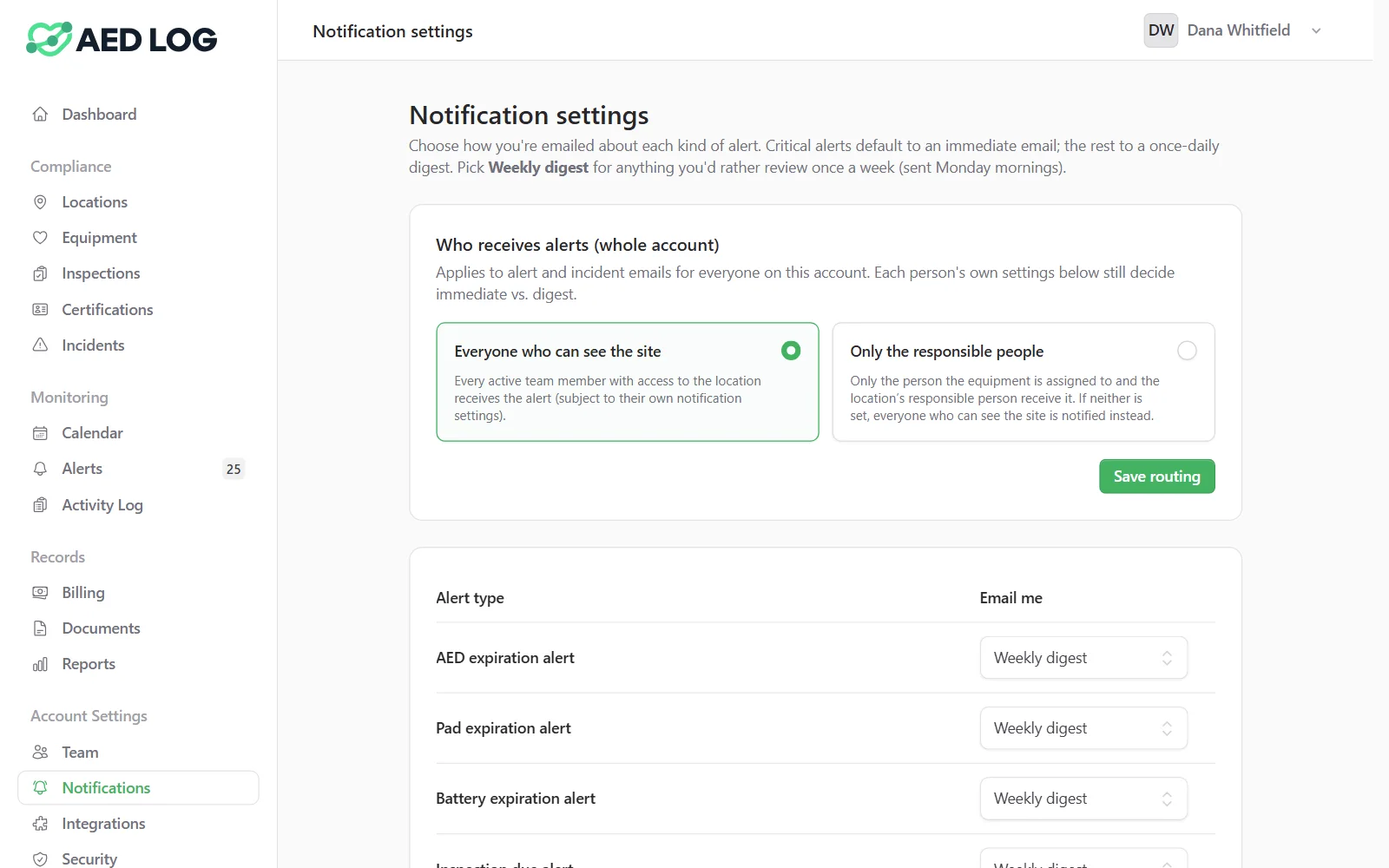
Send an alert to everyone who can see the site, or only to the responsible people: the unit's assignee and the site contact. People only hear about locations they can access.
Each person chooses how they hear
Every user picks email for each alert type: immediately, in a daily digest, in a weekly digest on Mondays, or off. Critical alerts default to immediate. Slack, Teams and Discord channels get the alert categories you route to them.
Alerts resolve themselves
When the pads are replaced or the inspection passes, the alert closes on its own. Condition alerts can be acknowledged and event alerts dismissed, and the open count shows in the menu.
What triggers an alert
Anything in AED Log with a date or a status can raise an alert, from an AED's pads to a responder's CPR card, a vehicle's registration or an AED Sentinel monitor reporting an open cabinet door.

Pad, battery and supply expirations
Equipment dates such as hydrostatic tests, registrations, insurance and warranties
Inspections coming due, overdue or failed
CPR, AED and first aid certifications about to expire
Expiring documents, such as a medical direction letter
Equipment marked Missing, as a critical alert
AED Sentinel device, cabinet door and status events
FDA recalls matched to one of your AEDs
FDA recall notices on the affected AED
When the FDA posts a recall for an AED you own, AED Log puts a notice on that unit and raises an alert, after a person has reviewed the match.
AED device recalls are pulled from openFDA every week and matched carefully against each AED's brand, model and serial number. The notice shows the recall number, the firm, the classification, the reason, the affected lots or serial ranges, a link to the FDA and guidance from your provider.
Record whether each unit is affected or not, and the answer stays on its record. Recall notices cover AED devices only; recalls of drugs such as Narcan and epinephrine, and of emergency oxygen, are not included.

Who it is for: multi-site programs and workplaces
Alert routing pays off when many people share responsibility across sites, as in organizations with several locations and in workplaces with safety teams.


Related guide: AED recalls by manufacturer
For recent AED recalls from each manufacturer and what to do when your unit is affected, read the AED recalls guide.
AED recalls by manufacturer Slack, Teams and Discord integrations Compliance calendar
AED compliance alerts FAQ
Let AED Log watch the dates
Alerts before anything lapses, sent to the people responsible by email or chat.
45 days free. No credit card required. Then plans from $114 a year.