
Pads and batteries
AED Pad and Battery Expiration Tracking
AED Log tracks every AED pad expiration and battery expiration date, filled in from the shelf life of the part you pick. It is AED maintenance tracking that warns you before each part expires, so no AED waits in its cabinet with expired pads.
45 days free. No credit card required. Then plans from $114 a year.
How pad and battery expiration tracking works
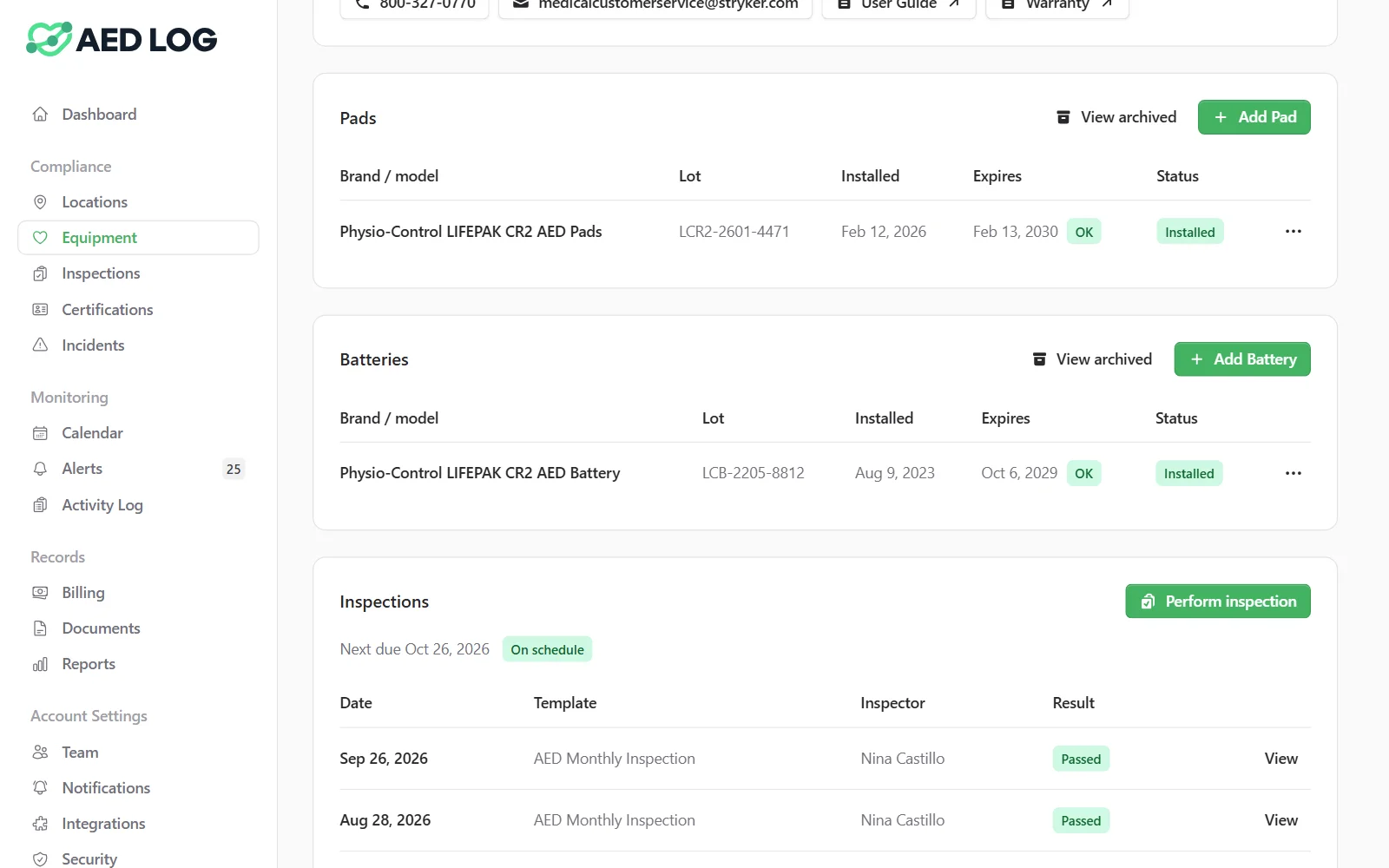
Pick the pads and battery for each AED from the catalog and AED Log fills in their expiration dates. As each date gets close it shows on the dashboard, the calendar and the alerts, and when you replace a part the old one is archived.
Pick parts from the catalog
The built-in catalog lists 78 pads, batteries and Pad-Paks for 27 AED models. Pick the compatible part and its shelf life sets the expiration date. A part that isn't in the catalog takes a typed date.
One date, shown everywhere it matters
Each expiration appears on the equipment list, the unit's page, the dashboard, the compliance calendar and the alerts, so whoever looks first sees it.
A warning before anything expires
Parts show as expiring soon 90 days ahead by default, and you can change that window. Alerts reach the responsible people by email or chat, and each person chooses immediate, daily or weekly email.
Archive what you replace
When new pads go in, archive the old ones. Their history stays on the unit and their alert stops. A HeartSine Pad-Pak is handled as the single cartridge it is, with one entry and one date.

What gets tracked for each pad and battery
Pads and batteries are separate records on each AED, so each one has its own date, lot number and history.

Pads and batteries as separate parts, each with its own expiration date
The lot number and installed date of every part
HeartSine Pad-Paks as one combined entry with one date
Supplies on other equipment, such as Narcan doses, tourniquets and gauze
Replaced parts kept in the unit's history after they are archived
Every date in the Expiration Forecast report, as a CSV or a PDF
The Expiration Forecast report lists everything expiring over the horizon you choose, from a month to two years, grouped by month. It doubles as a budget for replacement pads and batteries.
Who it is for: gyms and multi-location organizations
Pad and battery tracking matters most where AEDs are spread across many sites and many hands, like gyms and organizations with several locations.


Related guides: AED pads and AED battery replacement
For how long AED pads and batteries last, how to read their dates and how to replace them, read the AED pads and AED battery replacement guides.
AED pads expiration guide AED battery replacement guide AED management
AED pad and battery tracking FAQ
Never miss a pad or battery date
Track every AED's pads and batteries, with a warning before each one expires.
45 days free. No credit card required. Then plans from $114 a year.