
Team and access
Team Roles and Per-Location Access
AED Log gives everyone in your AED program the right access: five roles, from Account Owner to Read Only, and location limits that every list and report follows. The AED program manager sees everything, and an inspector at one school sees that school.
45 days free. No credit card required. Then plans from $114 a year.
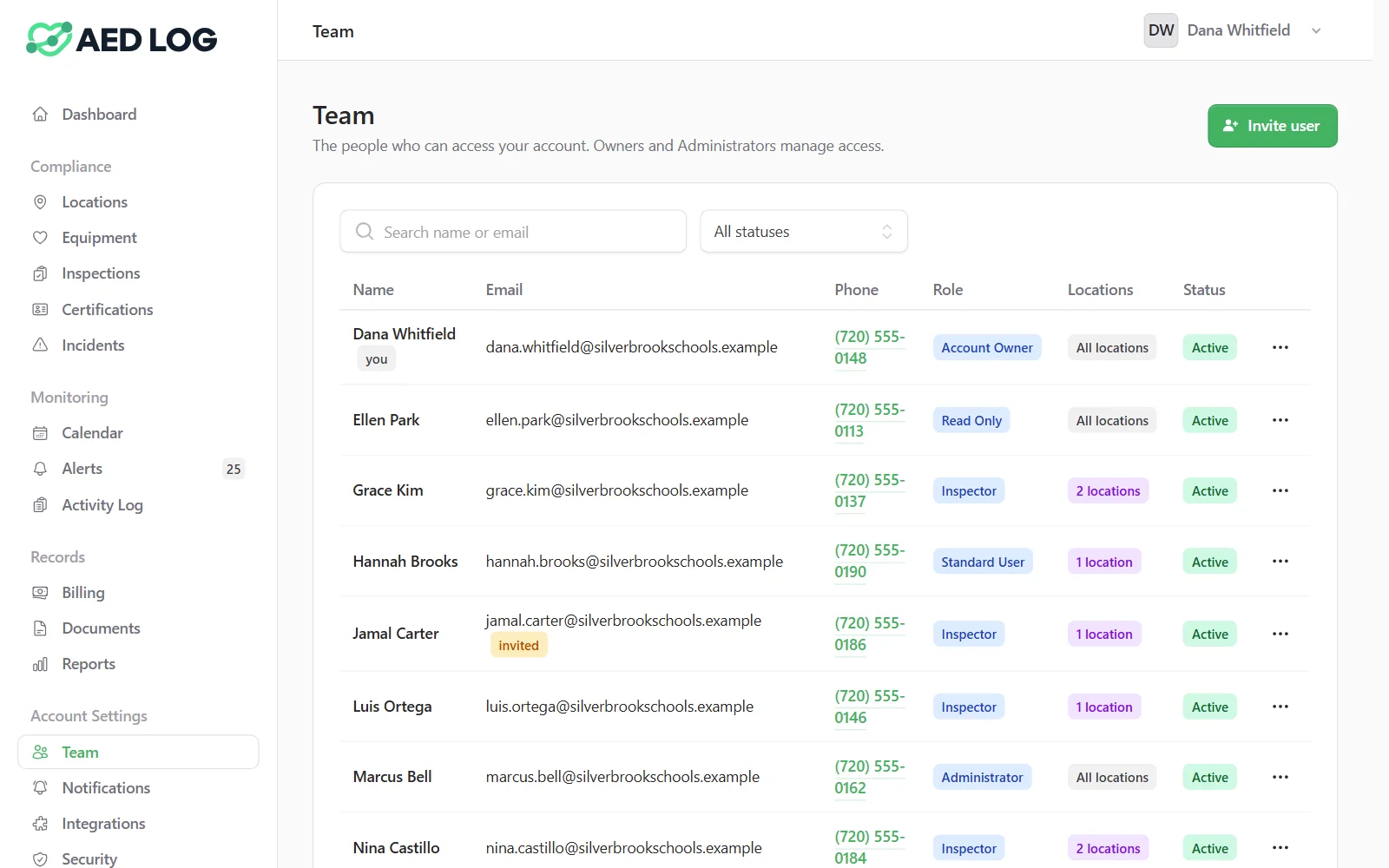
How roles and location access work
Invite people by email, give each a role and choose the locations they can see. The dashboard, lists, calendar, alerts and reports all follow those choices, which keeps multi-location AED management tidy.
Invite by email
Each person gets an invitation with a link to set a password. Resend it, change their role, add a phone number, or deactivate and reactivate them later.
Pick a role
The role decides what a person can change, from full control of the account to looking without touching.
Limit them to their locations
Restrict anyone to specific sites. Everything they see, including alerts and report downloads, stays inside those sites.
Guardrails prevent lockouts
The last active Account Owner can't be removed, nobody can lock themselves out, and at least one user always keeps access to every location.
The five customer roles
Five roles cover everyone from the program owner to an outside auditor, and any of them can be limited to certain locations.

Account Owner: full control, including the team, billing and security settings
Administrator: runs the program day to day, including team members, integrations, inspection questions and security settings
Standard User: manages locations, equipment, pads and batteries, responders and documents
Inspector: records inspections and reports incidents, for staff in the field
Read Only: sees everything in their locations and changes nothing, for auditors and executives
Only Account Owners and Administrators can see the patient section of an incident report, whoever wrote it.
Who it is for: school districts and multi-location organizations
Per-location access matters most when one account spans many sites with different people at each, as in school districts and multi-location organizations.


Related guide: what AED program management covers
For who does what in an AED program, from the program manager to the inspectors, read the AED program management guide.
AED program management guide Security and sign-in QR code labels
Team roles and location access FAQ
Bring your whole team in
Unlimited users on every plan, each with the role and the locations their job needs.
45 days free. No credit card required. Then plans from $114 a year.