
AED Sentinel integration
AED Sentinel Remote Monitoring, Inside Your Compliance Dashboard
AED Sentinel monitors AEDs and their cabinets remotely, and AED Log brings its alerts into your compliance dashboard: device status, cabinet alarms, low batteries and missed check-ins appear on the right AED. Inspections recorded in AED Log go back to ReadiCheck automatically.
45 days free. No credit card required. Then plans from $114 a year.
What AED Sentinel is
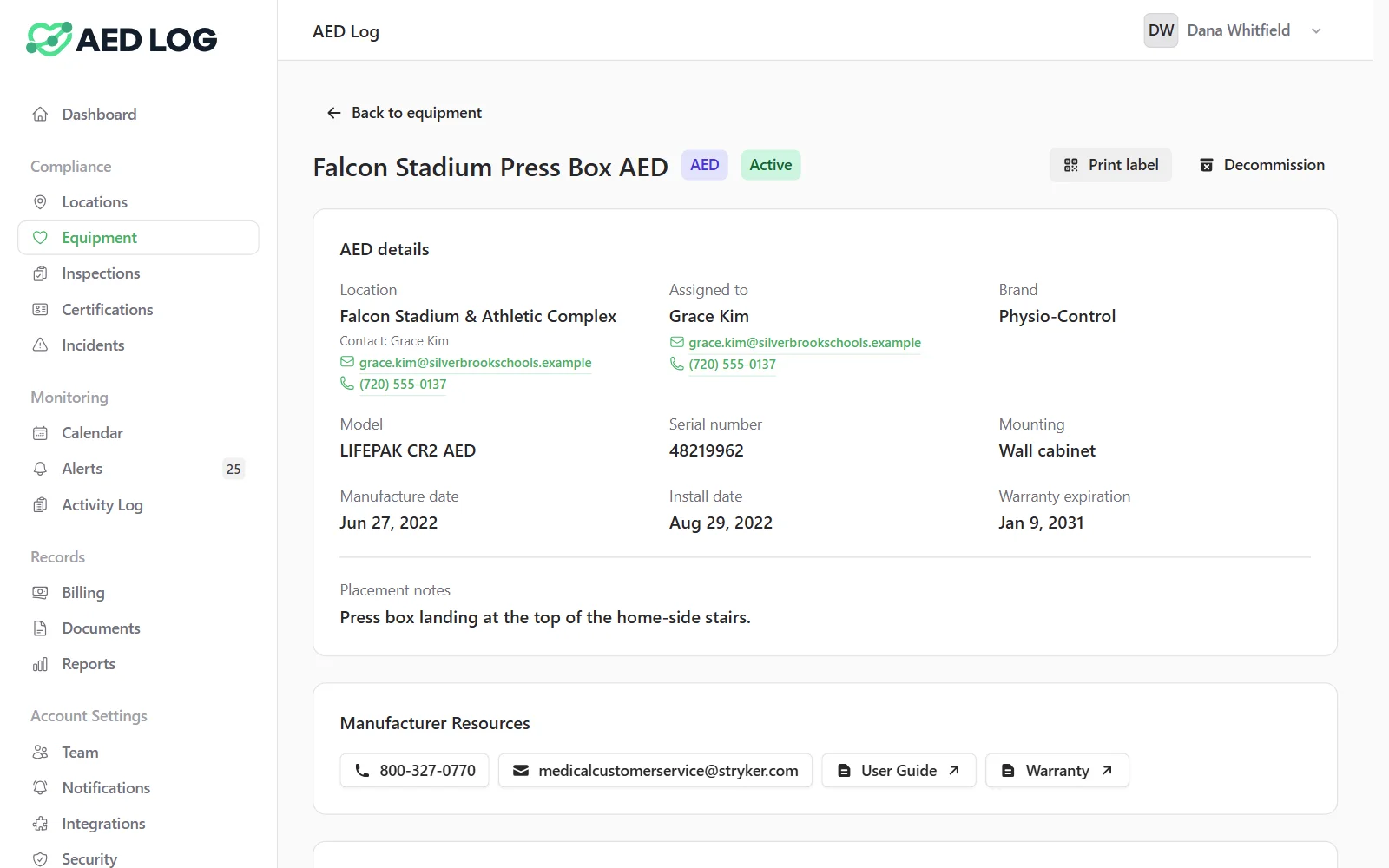
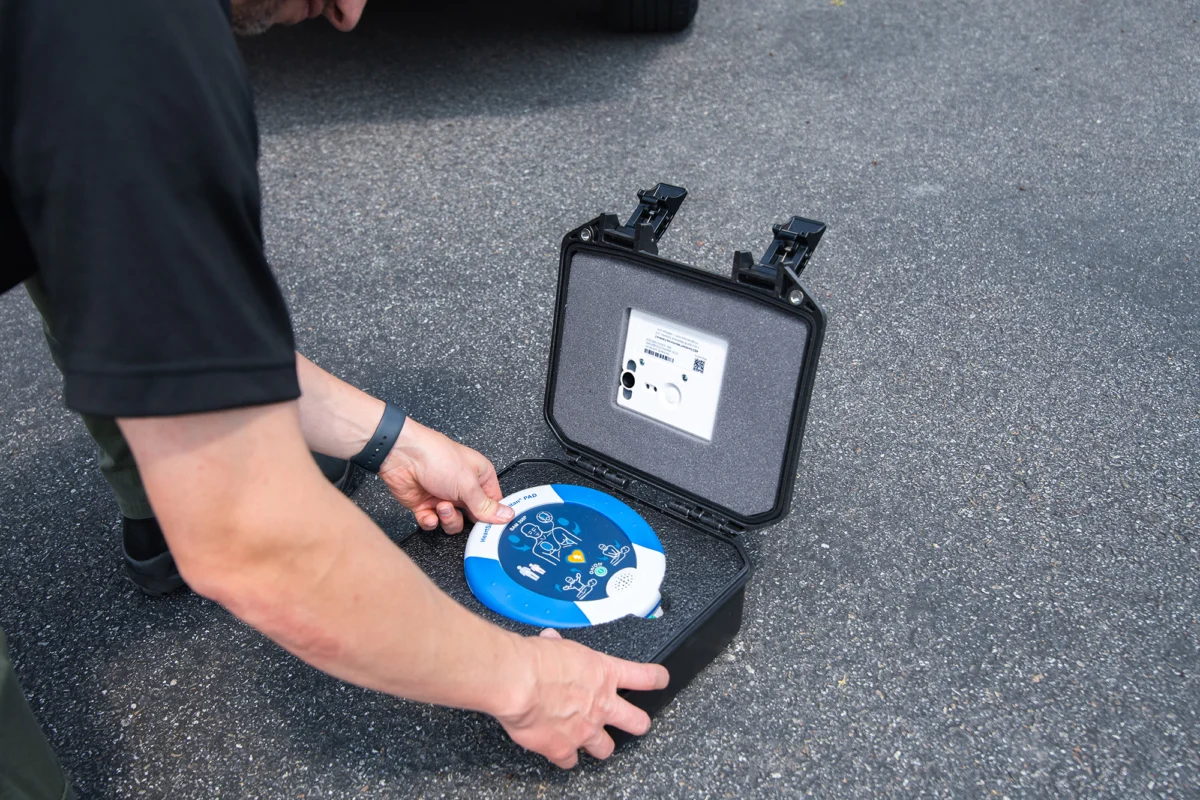
AED Sentinel is a remote AED monitoring service from Readiness Systems that reports an AED's readiness, cabinet alarms and regular check-ins.
A Sentinel monitor installed with the AED sends status, alarms, check-ins and photos of the device, and reports on its own battery and cell signal. ReadiCheck is the Readiness Systems platform that keeps the inspection records for monitored AEDs.
You can add AED Sentinel through AED Log, or connect a Sentinel service you already have from Readiness Systems.

What flows in: device status, cabinet alarms, batteries and photos
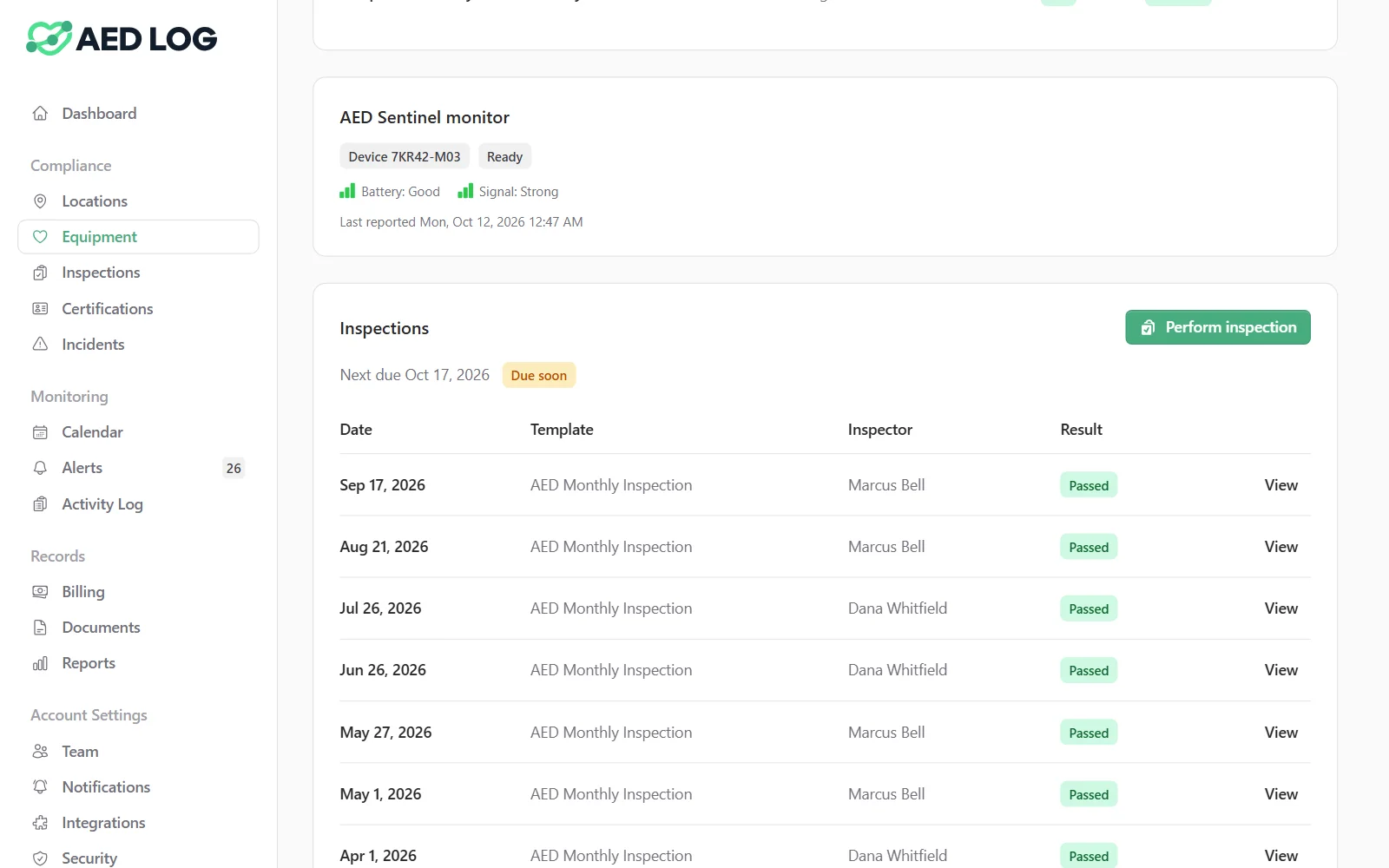
Once an AED is linked, its AED Sentinel status, alarms and photos appear on that AED in AED Log and raise alerts like any other problem.

Device status: ready, or needing attention
Cabinet door opened, as an AED cabinet alarm
Low battery
A failed or missed check-in
Pads and batteries expiring
Camera photos of the device
The monitor's own battery and cell signal
What flows out: inspection write-back to ReadiCheck
Each inspection recorded in AED Log on a linked AED is sent to ReadiCheck automatically, so both systems show the same inspection history.
Inspectors record the check once, in AED Log, on any phone or computer. There is nothing to export and nothing to enter twice.
Set up the AED Sentinel integration in three steps
An Administrator connects AED Sentinel from the Integrations page, then links each Sentinel device to its AED.
Get or connect AED Sentinel
Add AED Sentinel through AED Log, or use the Sentinel service you already have from Readiness Systems.
Connect it under Integrations
Turn on AED Sentinel, enter your Sentinel credentials, test the connection and sync your device list.
Link devices to your AEDs
Serial-number suggestions make most matches one click, and a device with no match can become a new AED record.
AED Sentinel integration FAQ
Bring AED Sentinel alerts into AED Log
Remote monitoring and your compliance records on the same AED, in the same dashboard.
45 days free. No credit card required. Then plans from $114 a year.